
AI receipt scanner
A receipt scanner app that actually reads the receipt.
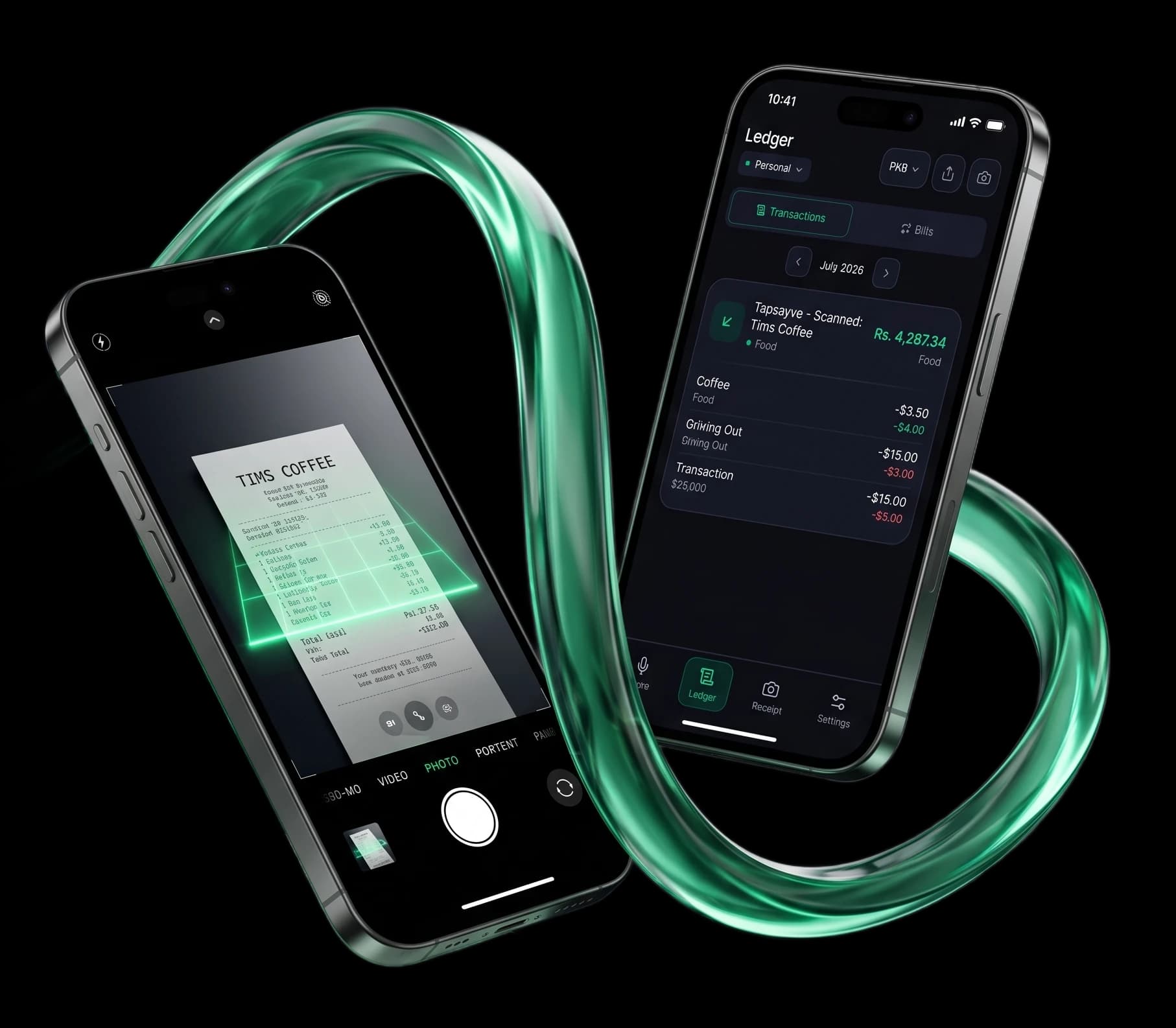
Tapsayve's AI receipt scanner uses receipt-scanner OCR plus vision AI to pull merchant, line items, tax, and total from paper photos, PDFs, and screenshots, and files everything as a tagged expense. The free plan includes a working receipt scanner, not a watermarked demo.
How it works
The AI receipt scanner in three steps.
No dedicated scan receipts app to install, no menus to hunt through — scan receipts straight from your phone's camera or gallery.
Capture
Snap a photo, drop a PDF, or paste a screenshot.
Extract
AI reads the receipt, merchant, line items, tax, total, date, currency.
File
Tapsayve stores the image alongside the expense, categorized and ready for tax export.
What it does
One receipt scanner, everything it needs to handle.
Snap any paper receipt
Open Tapsayve, point the camera, capture. The receipt scanner app handles tilted, crumpled, and faded receipts, and stores the image with the structured expense.
Upload PDFs and email invoices
Forward an invoice or upload a PDF. AI parses the merchant, line items, tax, and total, works for B2B SaaS invoices, online orders, and travel itineraries.
Screenshot receipts work too
Got a payment confirmation, mobile-banking notification, or food-delivery screenshot? The AI receipt tracker reads it just like a photo of paper.
Receipt scanner OCR + vision
Tapsayve combines high-precision OCR with vision AI so it understands layout, multi-line items, discounts, currency symbols, and tax breakdowns are mapped correctly.
Reads receipts in 30+ languages
Receipts in Spanish, German, Arabic, Japanese, Hindi, Urdu, Mandarin, and more are parsed natively. Currency is detected and converted to your home currency.
Private by default
Receipt images are encrypted in storage and accessible only to you and any workspace members you invite. We do not train third-party models on your receipts.
Scan on phone. Review on the web.
Capture receipts on the go from the iOS or Android app, then review and bulk-export from the web dashboard at tax time. Everything syncs in real time across devices.
Alternatives
A modern alternative to hardware and legacy scanners.
If you're comparing the QuickBooks receipt scanner, the Neat receipt scanner, or an Epson desktop unit, Tapsayve replaces the hardware, the subscription, and the manual review step with a phone in your pocket.
Keeping scans instead of paper? IRS rules for digital receipts covers what a stored image has to show and how long to keep it.
No accounting-software lock-in. Read our full comparison of QuickBooks receipt scanning vs. voice-first entry.
No hardware to plug in, no per-user subscription. Scan from any phone camera in seconds.
Snap on the go instead of collecting a shoebox to feed a scanner at month-end. Storage lives in the cloud, not on a hard drive.
FAQ
Receipt scanner, answered
What is an AI receipt scanner?
An AI receipt scanner is a tool that reads paper or digital receipts using OCR and vision AI, then converts the contents into a structured expense (merchant, amount, line items, tax, date, currency). Tapsayve includes one in every plan, including the free plan.
Is Tapsayve a free receipt scanner app?
Yes. The free Starter plan includes a monthly quota of receipt scans plus unlimited manual entries, making Tapsayve a working free receipt scanner app, not a paywalled demo.
How accurate is the receipt scanner OCR?
Tapsayve combines high-precision OCR with Gemini-class vision so it can read tilted, crumpled, low-light, or faded receipts and still extract merchant, line items, tax, and total reliably. You can edit any field after extraction.
Does the AI receipt scanner work on PDF invoices?
Yes. Upload a PDF, SaaS invoice, online-order summary, travel itinerary, and the AI receipt tracker extracts the same fields it does for paper receipts.
Can I scan receipts in languages other than English?
Yes. The AI receipt scanner reads receipts in 30+ languages including Spanish, French, German, Portuguese, Italian, Dutch, Polish, Arabic, Hindi, Urdu, Mandarin, Cantonese, Japanese, Korean, Indonesian, Turkish, and Russian.
Does Tapsayve store the receipt images?
Yes. The original image is encrypted and stored alongside the structured expense, so you have it ready for tax bundle export to your accountant. You can delete images individually or wipe your account at any time.
Stop typing receipts.
Try Tapsayve's AI receipt scanner free. Snap, upload, or forward , it's filed in seconds.
Get Tapsayve free