
Workspaces
Workspaces let you keep separate sets of expenses, like a shared family budget, or business separate from personal, and, for family workspaces, share them with people you invite.
What are workspaces?
By default everything you log lives in your Personal space. A workspace is a separate shared space with its own expenses, budget, and members. Use one to:
- Share a household budget with family.
- Keep business spending apart from personal.
- Track a specific project or trip with others.
Workspaces on the Free plan
Workspaces stay visible on the Free (Starter) plan so you can see what's there, they're just locked until you upgrade:
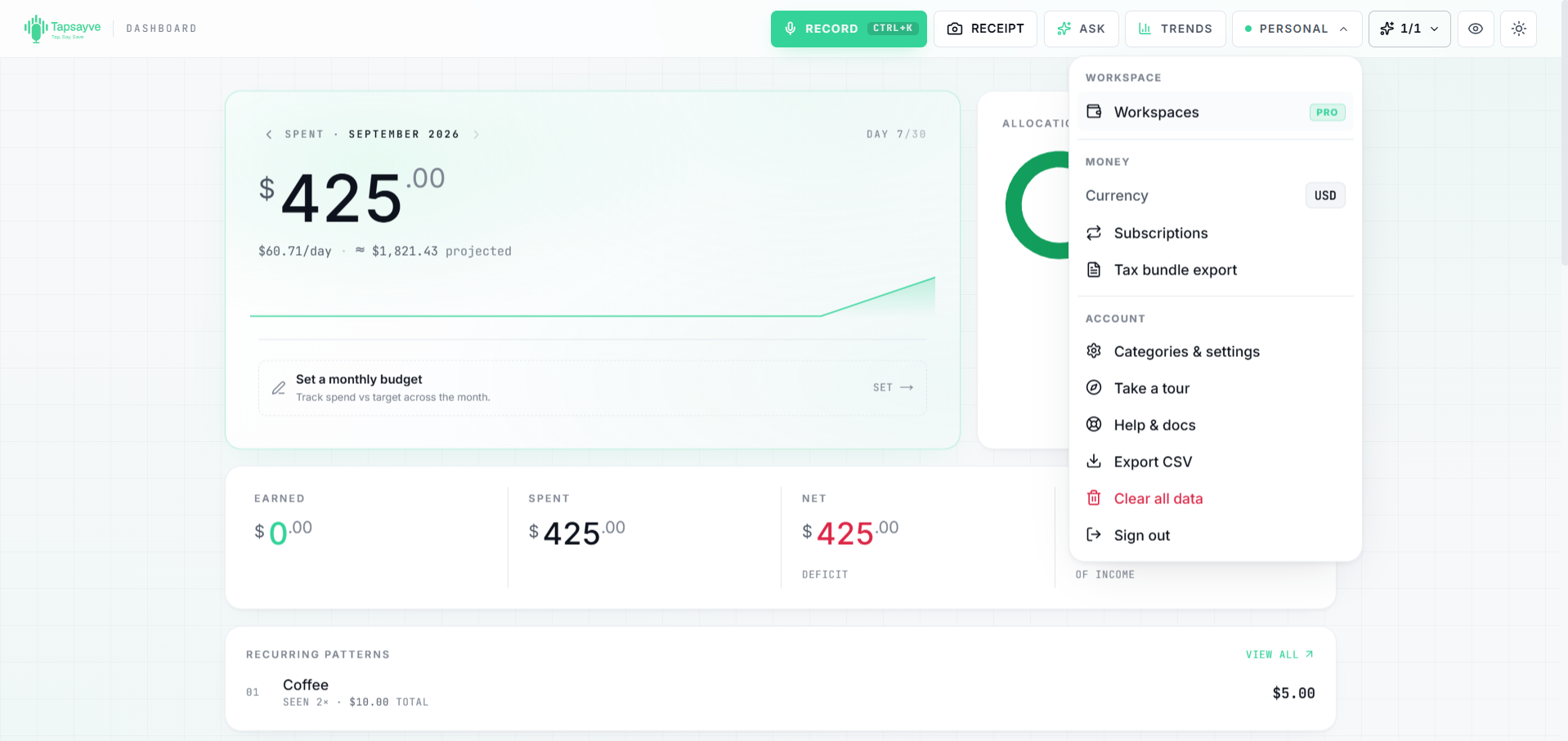
- Web: the Tools menu shows a Workspaces item with a Pro badge. Opening it shows an upgrade card with an Upgrade Plan button instead of the create form.
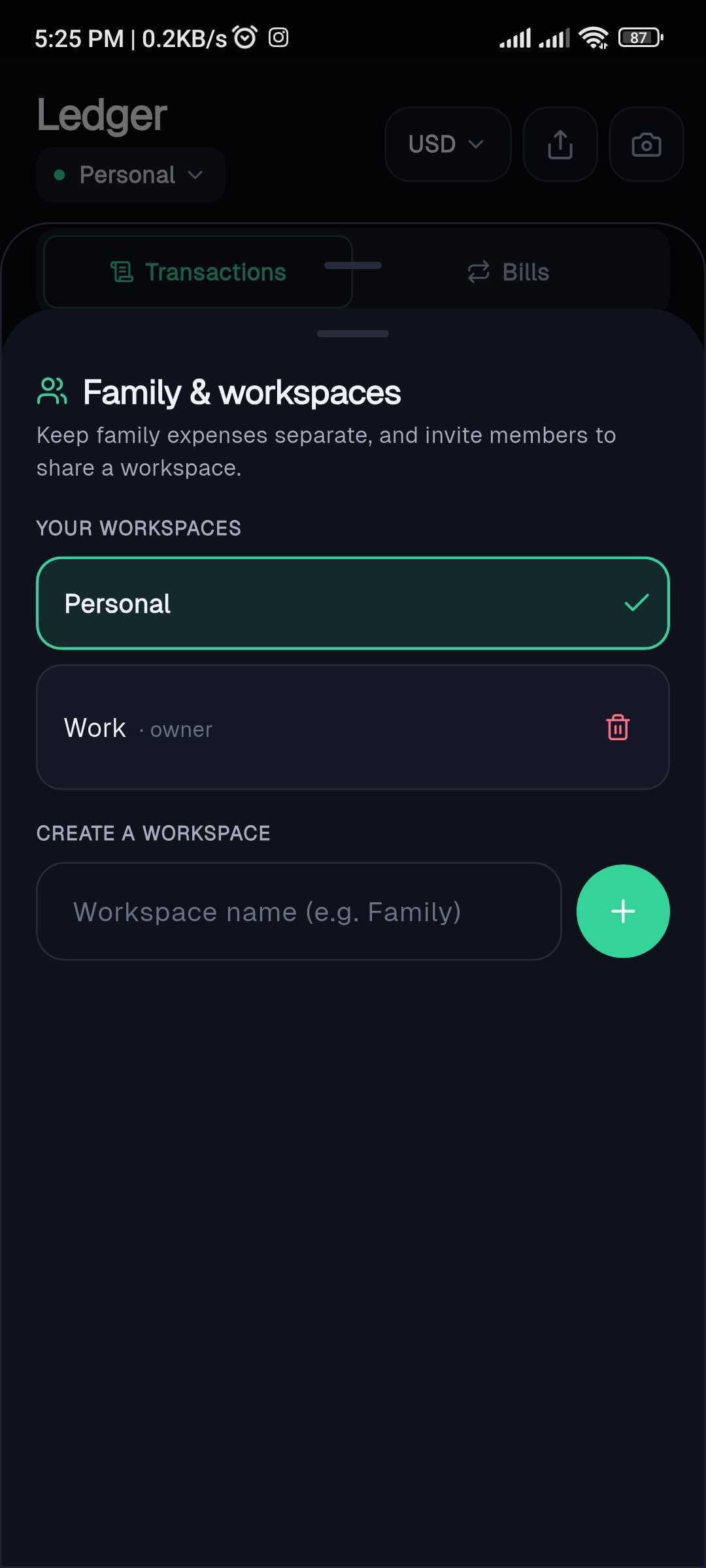
- Mobile: the Ledger header shows a workspace pill with a lock icon. Tapping it opens the manager with an Upgrade Plan button in place of the create form.
Creating a workspace
- 1Open the workspace switcher, the Tools menu → Switch / manage on web, or the workspace picker in the Ledger header on mobile.
- 2Choose to create a new Family workspace and give it a name.
- 3Invite members by email (optional); see Inviting & managing members.
Switching between workspaces
The workspace switcher shows which space you're in, Personal or a named workspace. Everything you see (transactions, dashboard, budget) reflects the active workspace.
- Web: the Tools menu button shows “Personal” or “Shared”; open it and choose Switch / manage.
- Mobile: tap the workspace picker in the Ledger header and select a space.
Inviting & managing members
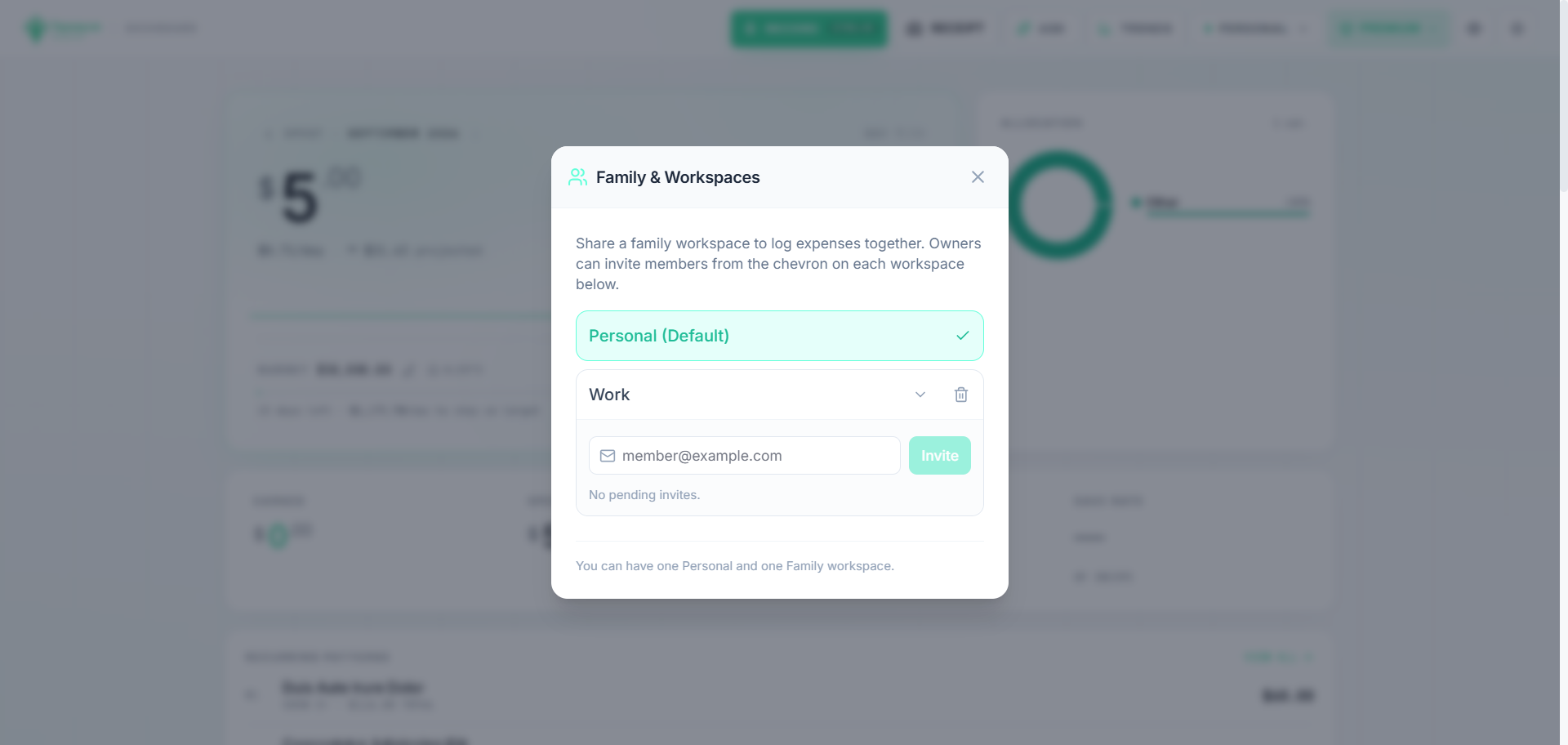
- 1Open the workspace switcher and choose to manage the workspace.
- 2Invite a member by their email address.
- 3They'll get access once they accept, everyone in the workspace sees and can add its expenses.
Workspace limits by plan
How many workspaces you can create, and how many people can be in each, depends on your plan:
| Plan | Workspaces you can create | Members per workspace (incl. you) | People you can invite |
|---|---|---|---|
| Free (Starter) | 0 (Personal only) | - | - |
| Lite | 1 | 2 | 1 |
| Pro | 3 | 4 | 3 |
| Premium | 5 | 6 | 5 |
How upgrading enables workspaces
Upgrading raises both limits immediately. If you're on the Free plan, upgrading to Lite or higher unlocks the ability to create a family workspace and invite people.